You can copy your Black Ops 7 settings straight into Modern Warfare 4, so you do not have to rebuild your keybinds and graphics from scratch. It takes a few clicks in the Settings menu, and MW4 even reminds you about it with a notification. Here is where to find it, what it copies and what to check afterwards.
- Go to Settings, then Account & Network, then Import Settings under Online.
- Press Import From Previous Title and confirm. It imports from Black Ops 7.
- Keybinds, graphics and other matching settings come over.
- Imported values replace what you already changed in MW4, and some gameplay settings reset to default.
- The import only applies to the device you are playing on.
Import Your Settings From the Settings Menu
- Open Settings and go to the Account & Network tab.
- Under Online, select Import Settings.
- Press Import From Previous Title.
- Confirm, and MW4 copies your settings over from Black Ops 7.
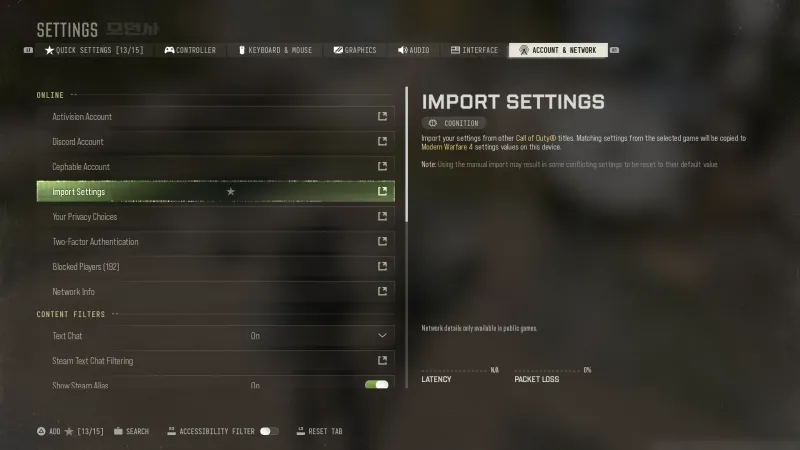 Click to enlarge Import Settings sits under Online in Account & Network.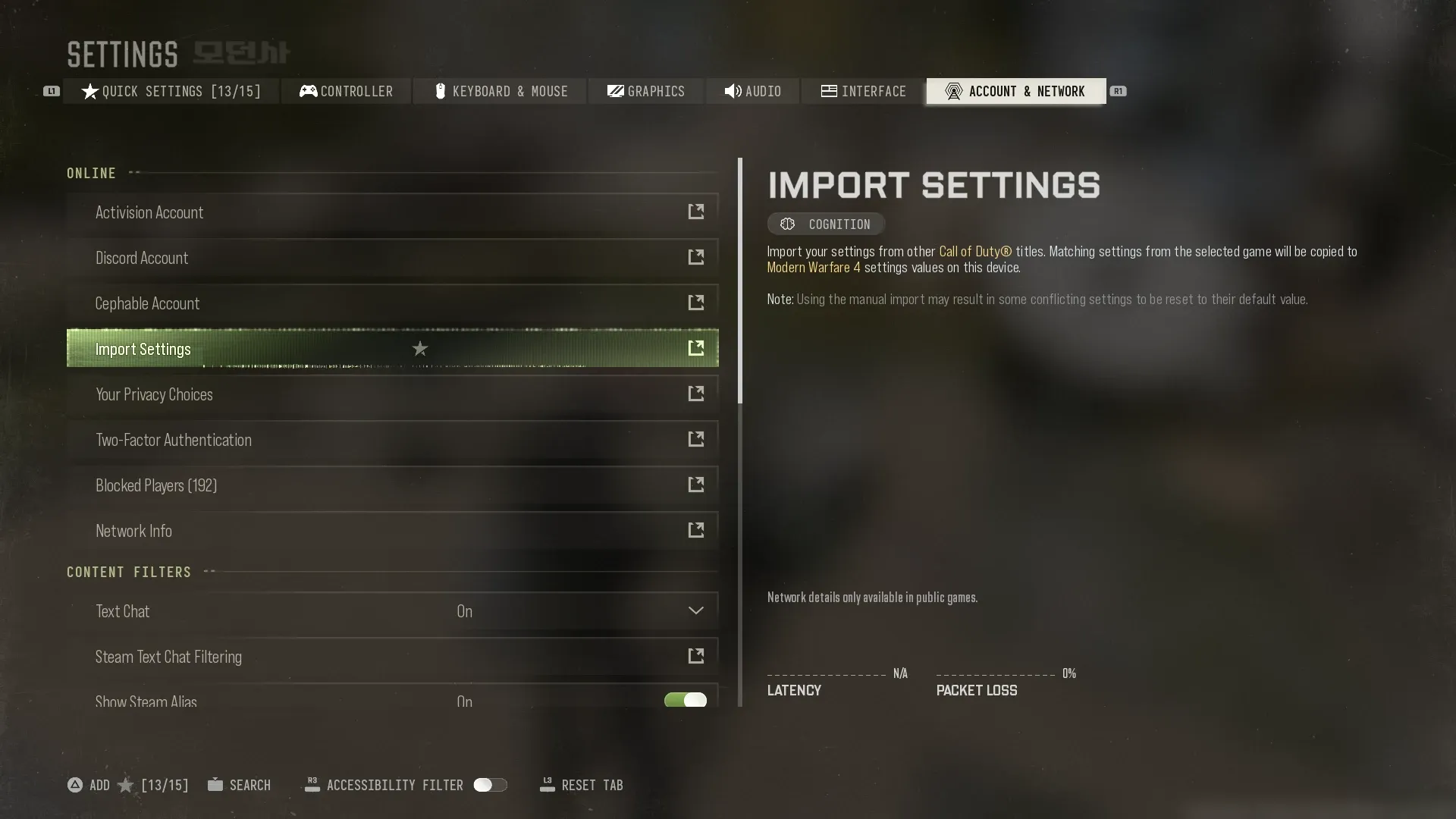
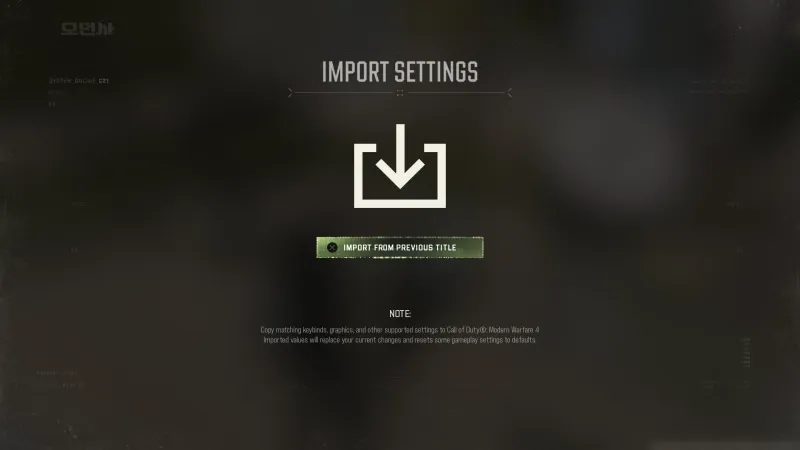 Click to enlarge Import From Previous Title pulls in your BO7 settings.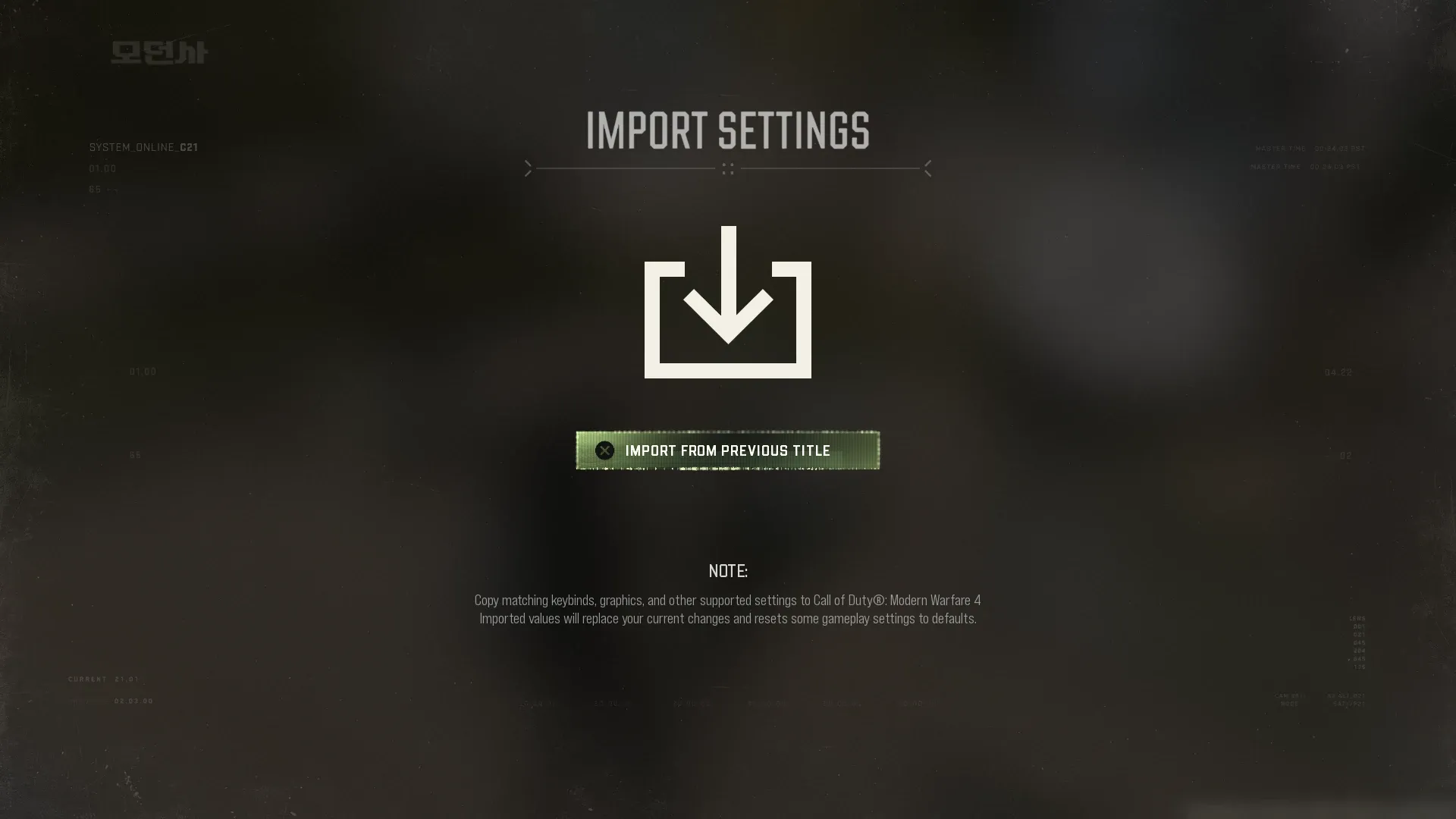
Import From the Notification
MW4 also drops a reminder in your notifications. Open the bell icon in the menu, select the Import Settings notification and choose Go To Import. That takes you to the same import screen.
 Click to enlarge The Import Settings reminder in your notifications.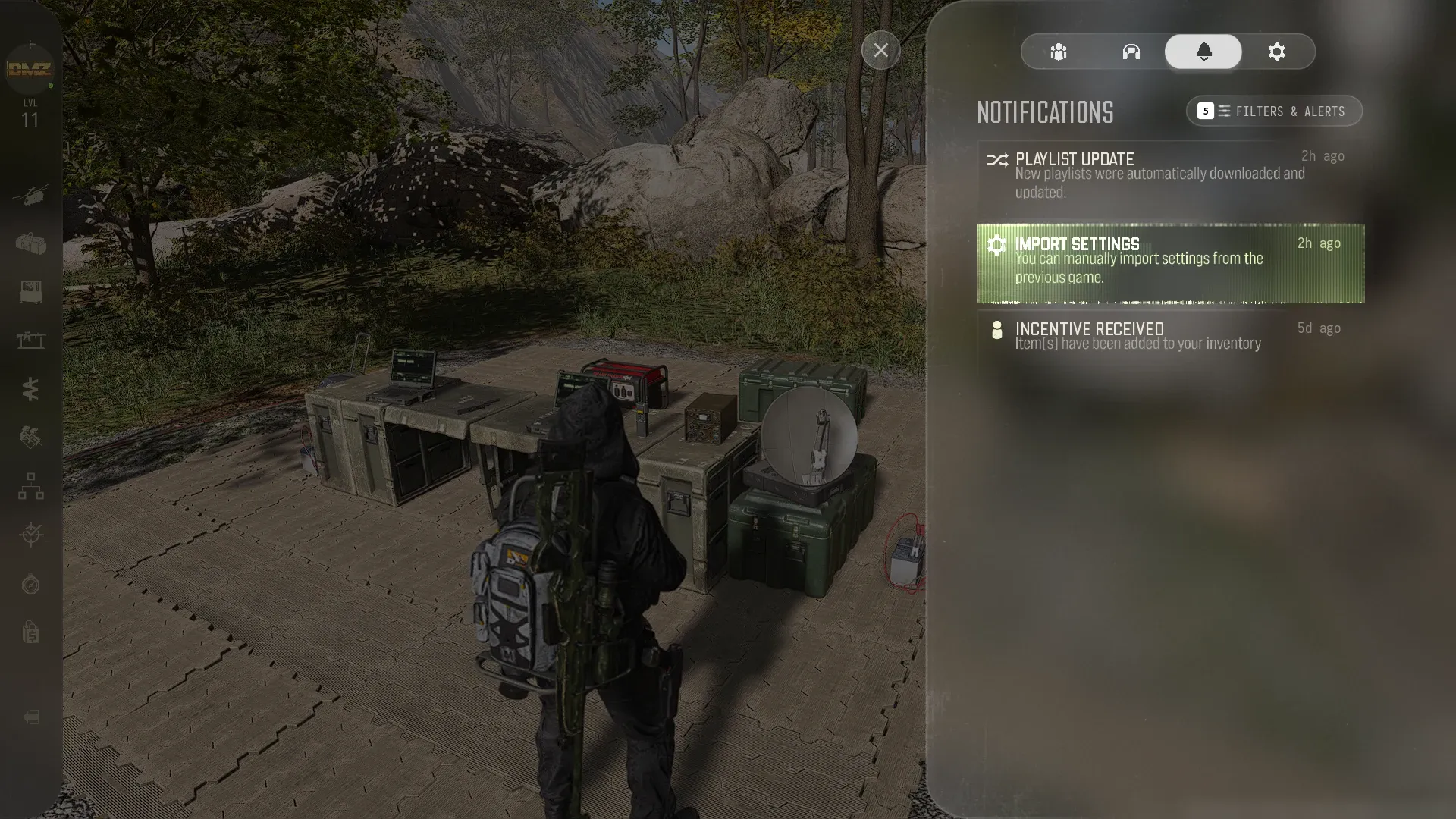
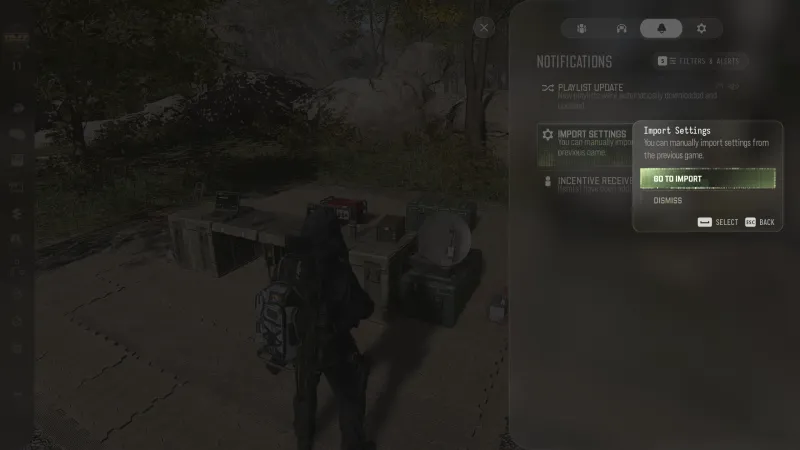 Click to enlarge Go To Import opens the import screen.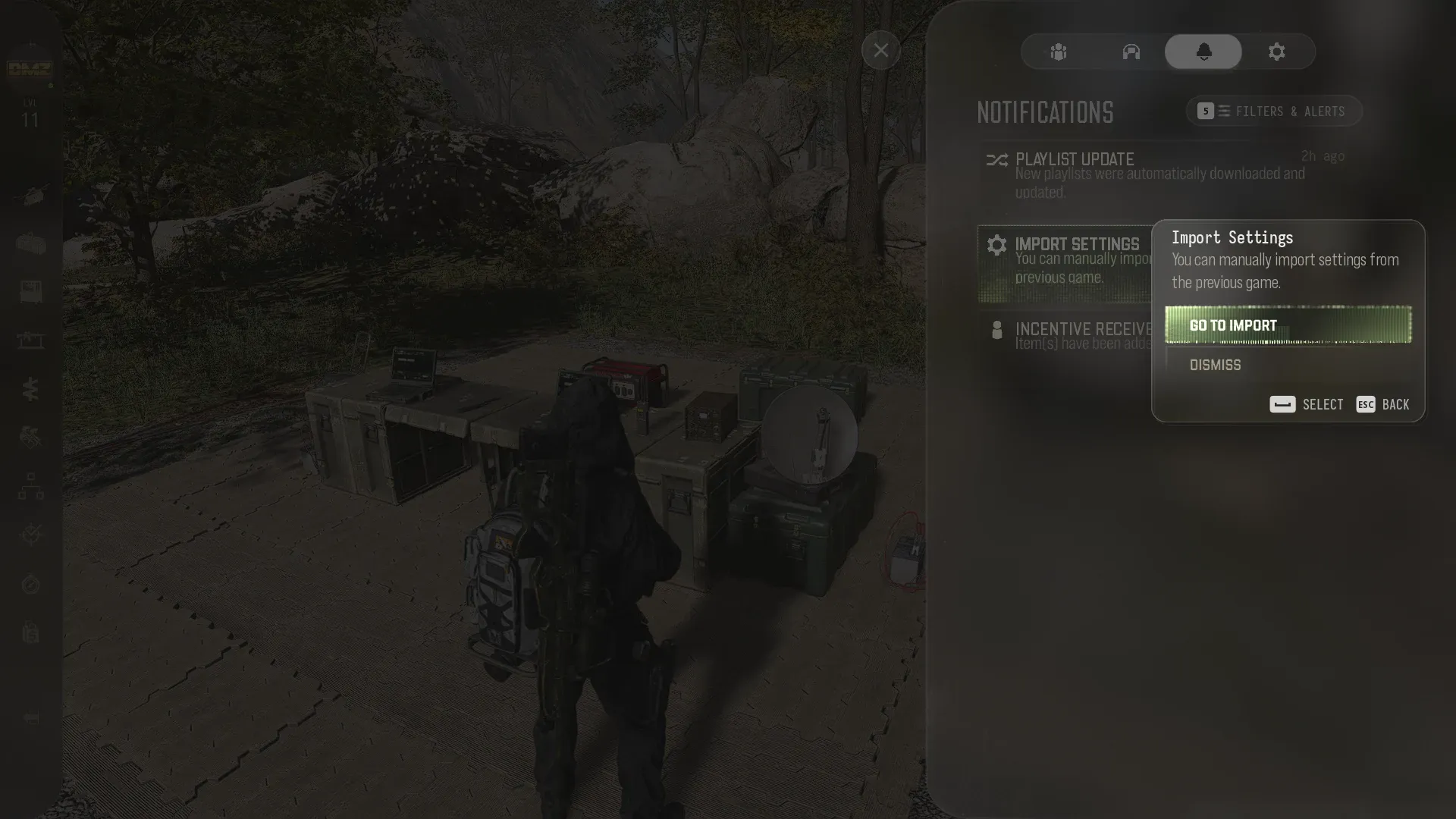
What Gets Copied and What Resets
The import copies the settings MW4 has in common with Black Ops 7, such as your keybinds, graphics settings and other supported options.
Import before you start tweaking. Imported values replace any changes you already made in MW4, and some gameplay settings that conflict with BO7 are reset to their default. Check your gameplay and controller settings once more after the import.
The import only applies to the device you are playing on. If you play MW4 on a second PC or console, run the import there too.
Once your settings are in, jump into DMZ with our DMZ Orders guide, or see everything we know about MW4.
Have questions? Join our COD Central Discord where 50,000+ members hang out.
Frequently Asked Questions
How do you import BO7 settings into MW4?
Open Settings, go to the Account & Network tab and select Import Settings under Online. Then choose Import From Previous Title and confirm. MW4 copies your matching settings from Black Ops 7, the previous Call of Duty.
What does Import Settings copy to MW4?
Your keybinds, graphics settings and other settings that exist in both games. Some gameplay settings that conflict get reset to their default value.
Can I pick which Call of Duty to import from?
No. The button imports from the previous title, which is Black Ops 7.
Does importing settings overwrite my MW4 settings?
Yes. Imported values replace any changes you already made in MW4, so import first and tweak afterwards. The import also only applies to the device you are playing on.
