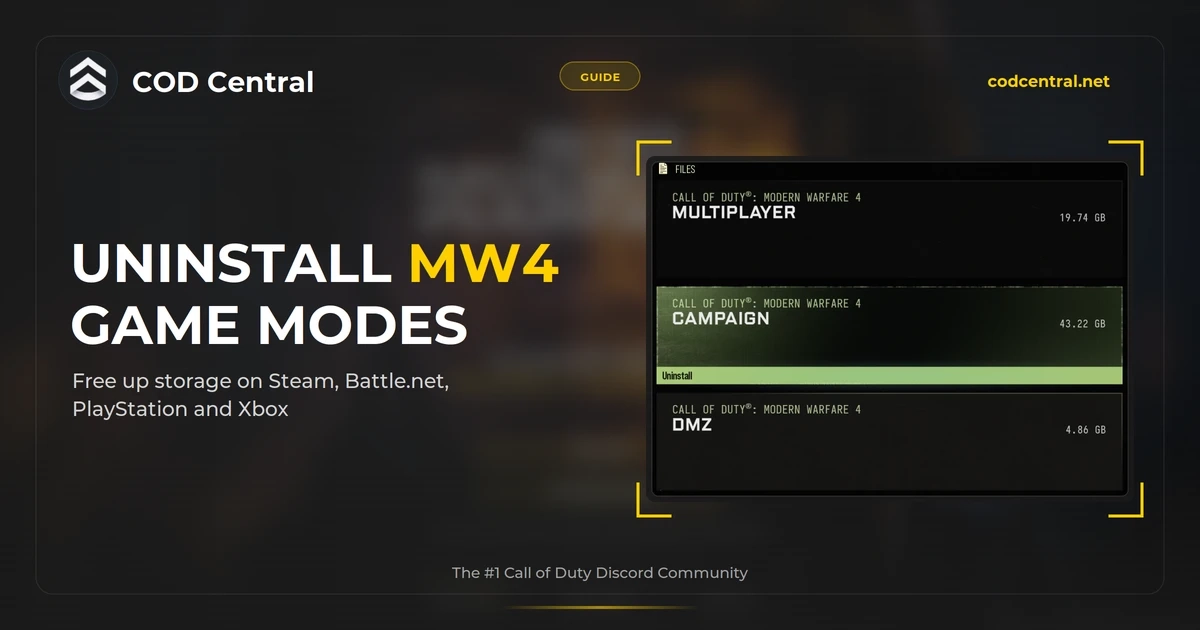
You can uninstall Campaign, Multiplayer, DMZ or Warzone in MW4 without removing the rest of Call of Duty. The fastest way on every platform is the file icon in the top right of the Call of Duty main menu. On PC you can also do it from Steam or Battle.net, and that route lets you skip modes before you ever download them.
With 2 TB SSDs that cost around 120 to 150 dollars a year ago now selling for 300 to 480 dollars (Tech Insider, July 2026), clearing out modes you don’t play is cheaper than buying more storage.
- In-game: main menu, file icon top right, pick MW4, Warzone or BO7, hover a mode and select Uninstall.
- Battle.net: gear icon, Modify Install, Modify Install again, untick what you don’t play.
- Steam: right-click Call of Duty, Properties, DLC, uncheck a mode. Removing an old Warzone 2025 entry freed almost 120 GB for us.
- PS5 and Xbox: use the in-game menu, or the console’s Manage Game Content screen.
- The base game is always required. Your progress is saved online either way.
MW4 File Size Per Mode
These are the sizes from our own PC install, read from the in-game file menu on October 19, the day before DMZ early access.
| Game | Mode | Size |
|---|---|---|
| Modern Warfare 4 | Campaign | 43.22 GB |
| Modern Warfare 4 | Multiplayer | 19.74 GB |
| Modern Warfare 4 | DMZ | 44.07 GB |
| Warzone | Warzone | 43.72 GB |
| Black Ops 7 | Multiplayer | 39.85 GB |
| Black Ops 7 | Co-op and Endgame | 14.48 GB |
| Black Ops 7 | Zombies | 11.83 GB |
DMZ jumped from 4.86 GB to 44.07 GB on October 19, one day before its early access opens. Activision lists DMZ early access from October 20 and full launch on October 23 (Activision), so expect Multiplayer to grow the same way before launch. Right now Campaign and DMZ are the two biggest things you can remove from MW4, at around 43 to 44 GB each. For the full picture on what launches when, see everything we know about MW4.
Uninstall From the In-Game Menu
This works on PC, PS5 and Xbox, and it is the route Activision itself recommends. Its support page warns that removing files through your platform instead means “your experience may differ and files may be managed individually” (Activision Support).
- Launch Call of Duty and wait for the main menu.
- Select the file icon in the top right corner.
- Pick Modern Warfare 4, Warzone or Black Ops 7 at the top of the screen.
- Hover the mode you want gone and select Uninstall.
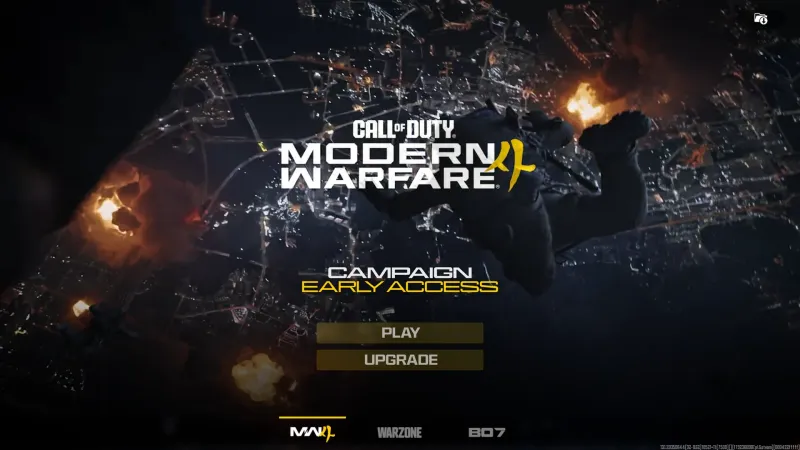 Click to enlarge The file icon sits in the top right of the main menu.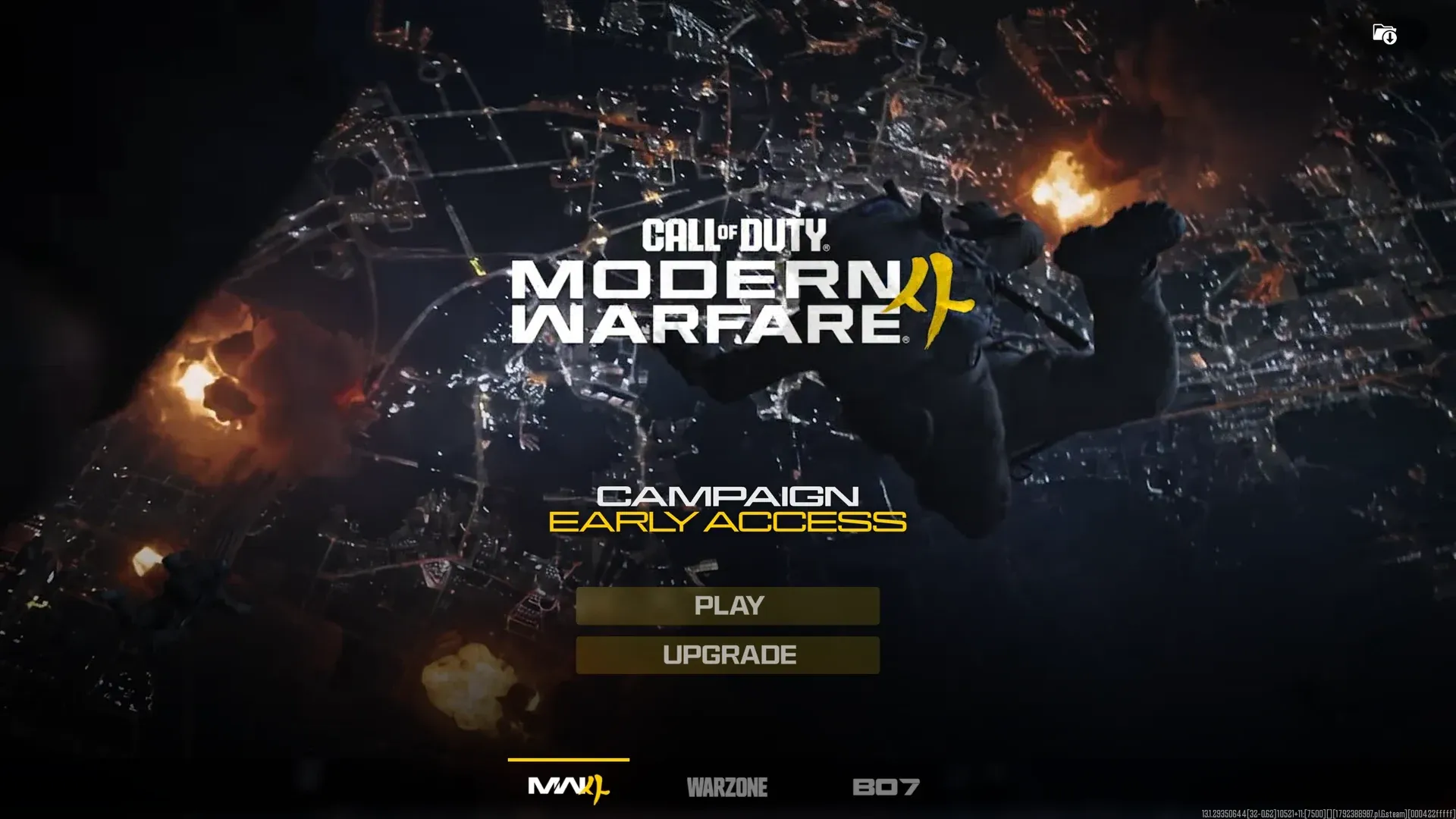
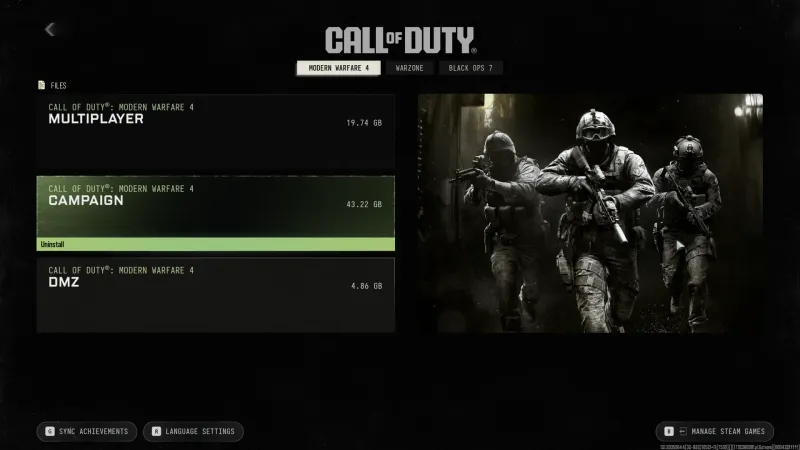 Click to enlarge Hover a mode and the Uninstall bar appears under it. DMZ was still 4.86 GB when we took this.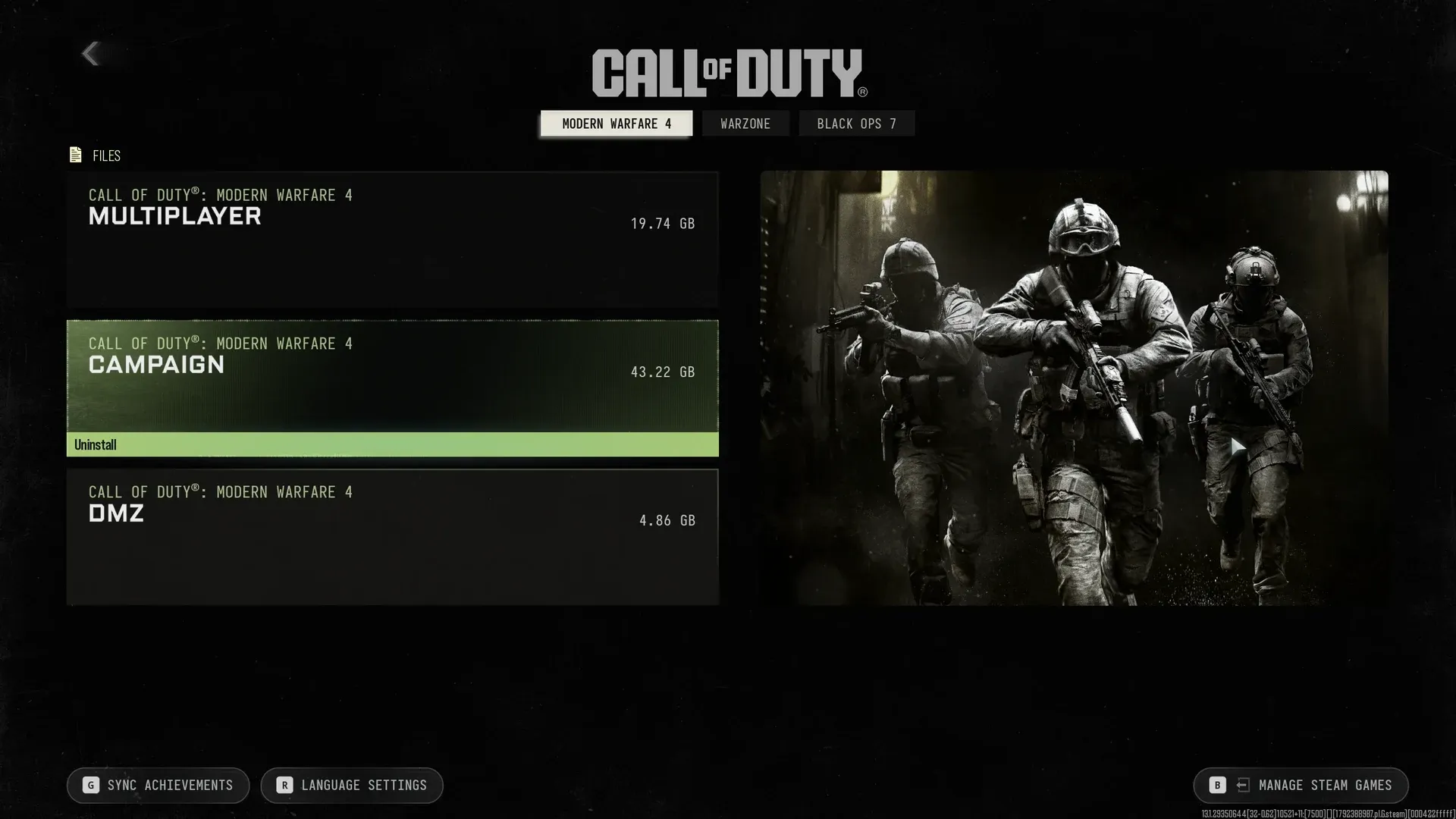
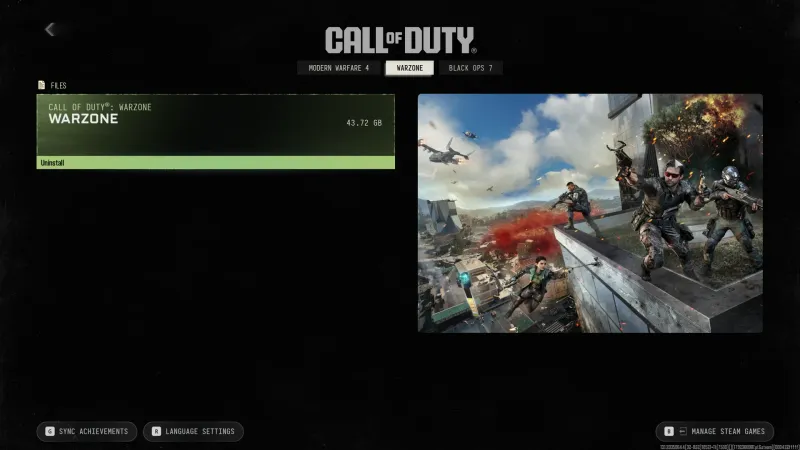
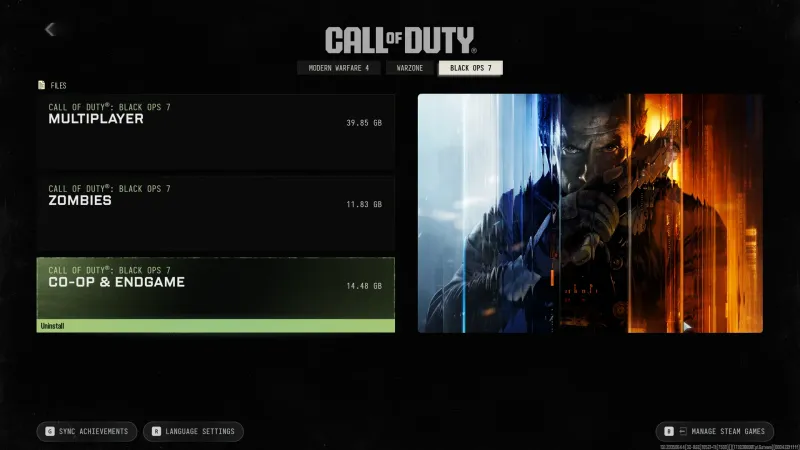
If you only play Warzone, remove all three MW4 modes and keep the Warzone tab. If you are only here for DMZ, drop Campaign and Multiplayer and you save more than 60 GB.
Battle.net: Modify Install
Battle.net lets you untick modes before they download, which saves bandwidth as well as space.
- Select Call of Duty in Battle.net.
- Click the gear icon next to the Play or Update button and choose Modify Install.
- Click Modify Install again in the window that opens.
- Untick what you don’t play. Under Modern Warfare 4 that is Campaign, Multiplayer and DMZ. Under Black Ops 7 it is Endgame, Multiplayer and Zombies. Warzone is a single tick box.
- Click Confirm, then Start Update.
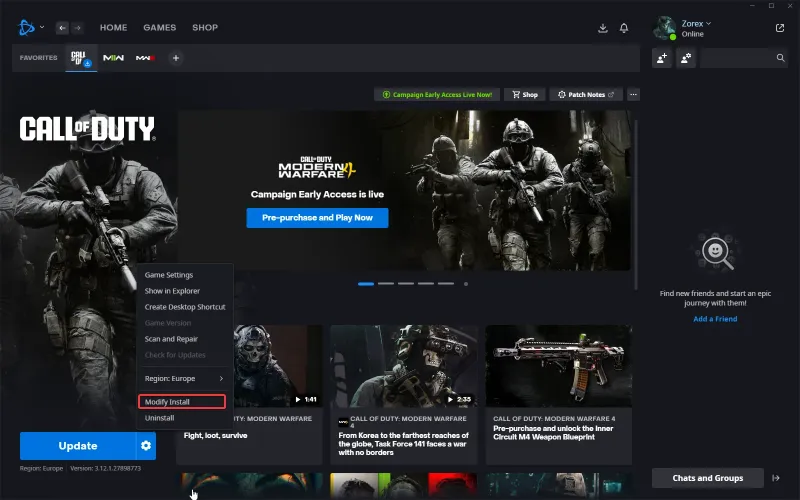 Click to enlarge Gear icon, then Modify Install.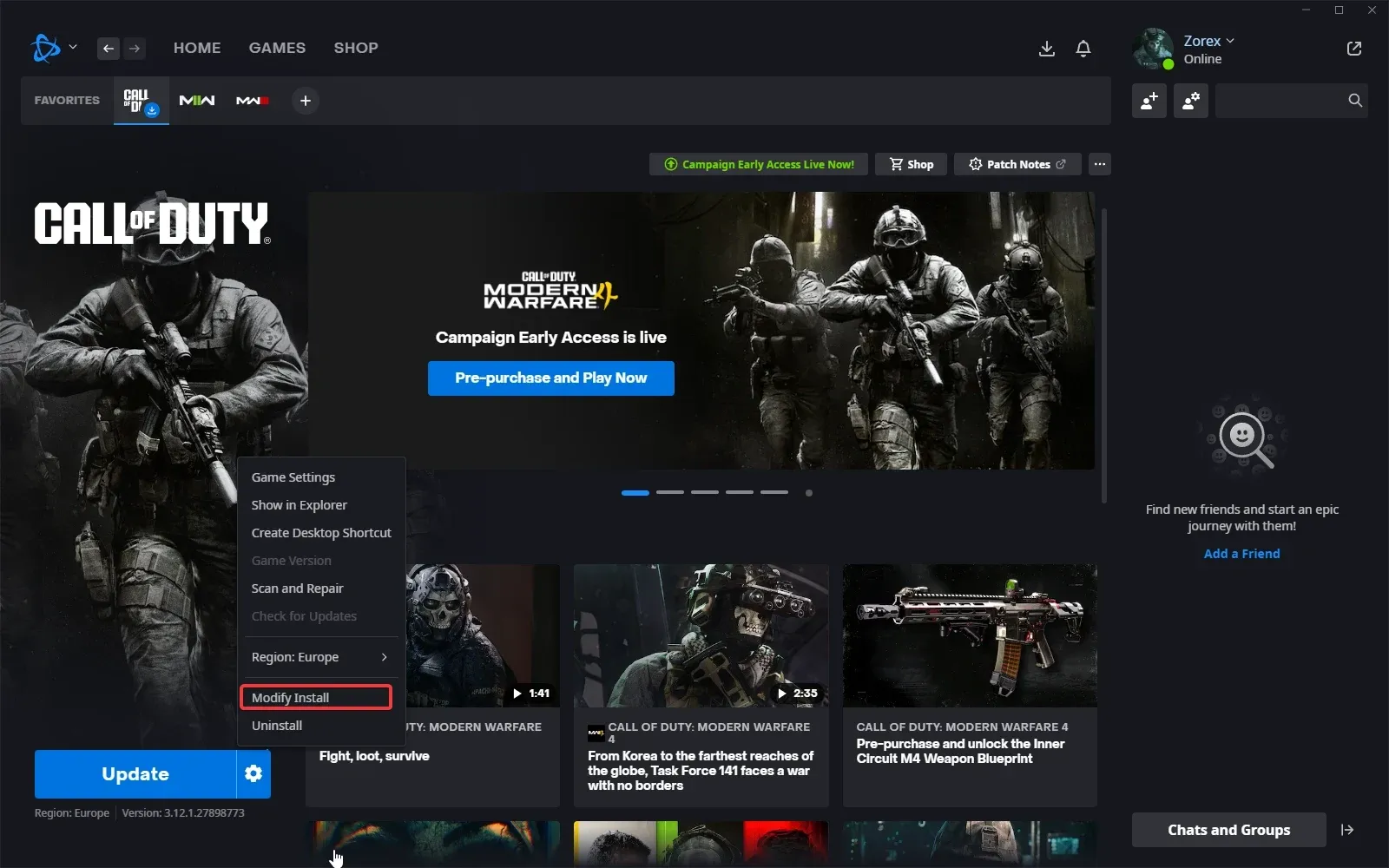
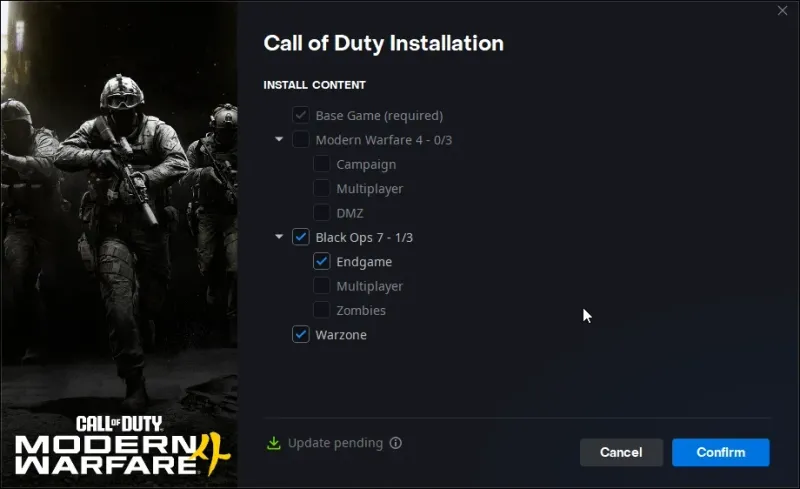 Click to enlarge Base Game stays ticked. Everything else is optional.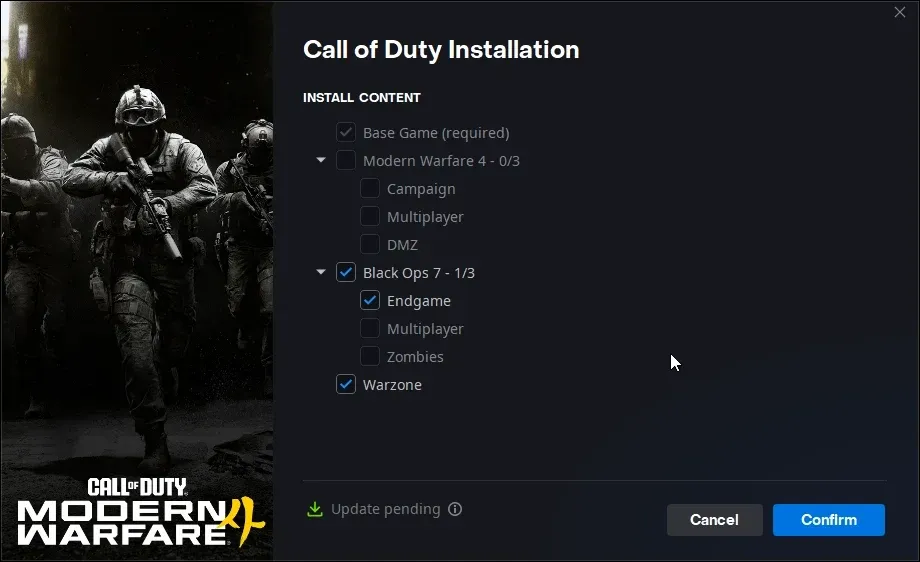
Steam: Properties and DLC
Steam hides the modes as DLC. Right-click Call of Duty in your library, open Properties, go to DLC, and uncheck a mode. The mode is removed as soon as you uncheck it.
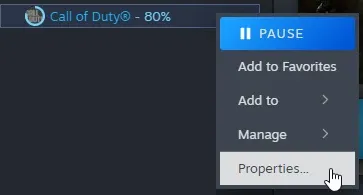
This is where we found the biggest win. Our list still had Call of Duty: Warzone 2025 installed, an older Warzone we no longer play, listed at almost 120 GB. One unchecked box and that space was back.
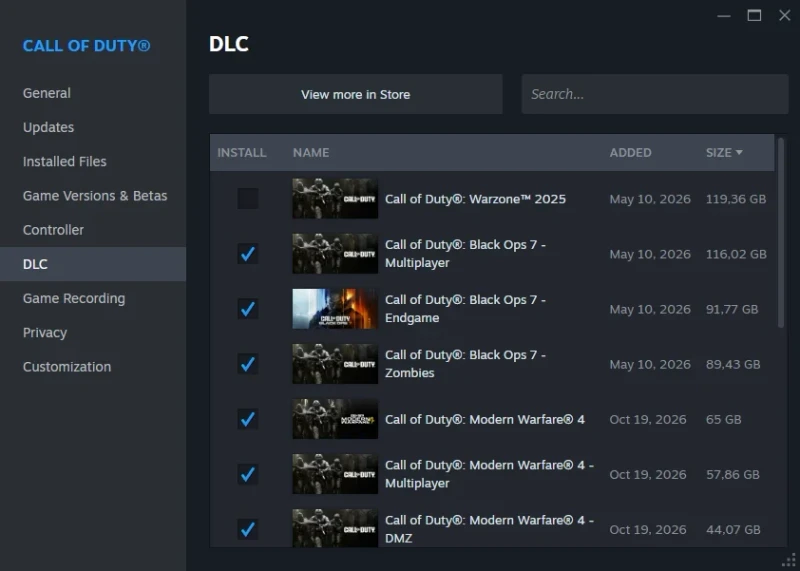 Click to enlarge Warzone 2025 unchecked. Black Ops 7 and MW4 modes sit in the same list.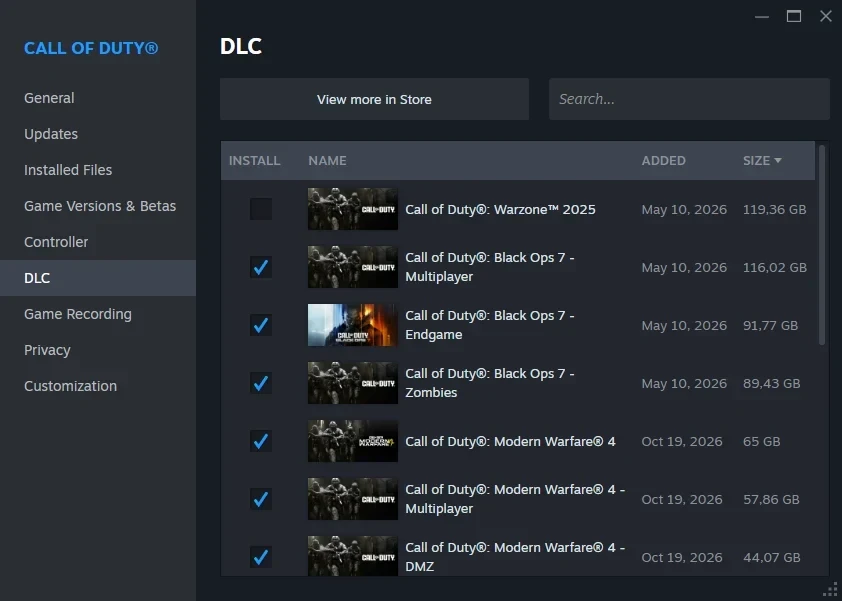
The sizes in this list run ahead of the in-game menu. On October 19 Steam already showed 44.07 GB for DMZ while the in-game menu still said 4.86 GB, and later that day our install showed DMZ at 44.07 GB too. Steam lists MW4 Multiplayer at 57.86 GB, against 19.74 GB in-game, so that is the size to plan for once MW4 launches.
PS5: Manage Game Content
We tested this guide on PC. On PS5 the in-game file menu above is the simplest option. If you prefer the console menu, the screenshots show this path:
- Highlight the Call of Duty tile on the home screen and press Options.
- Select Manage Game Content.
- Select the trash icon next to the pack you want to delete, for example BO7: Multiplayer Pack.
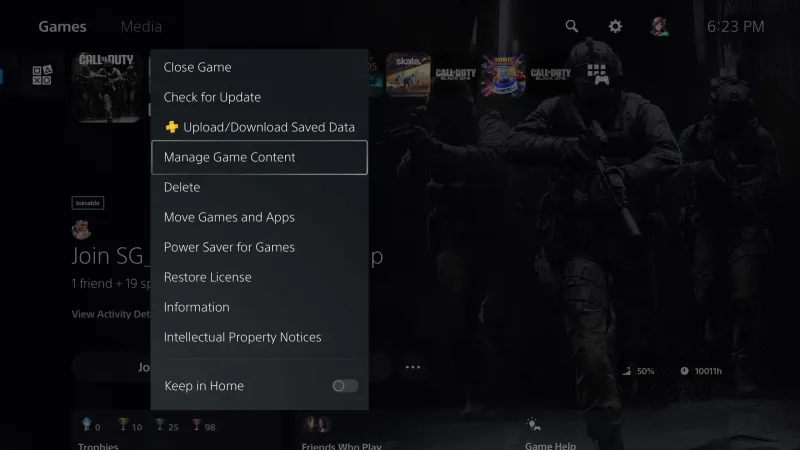 Click to enlarge Options on the Call of Duty tile, then Manage Game Content.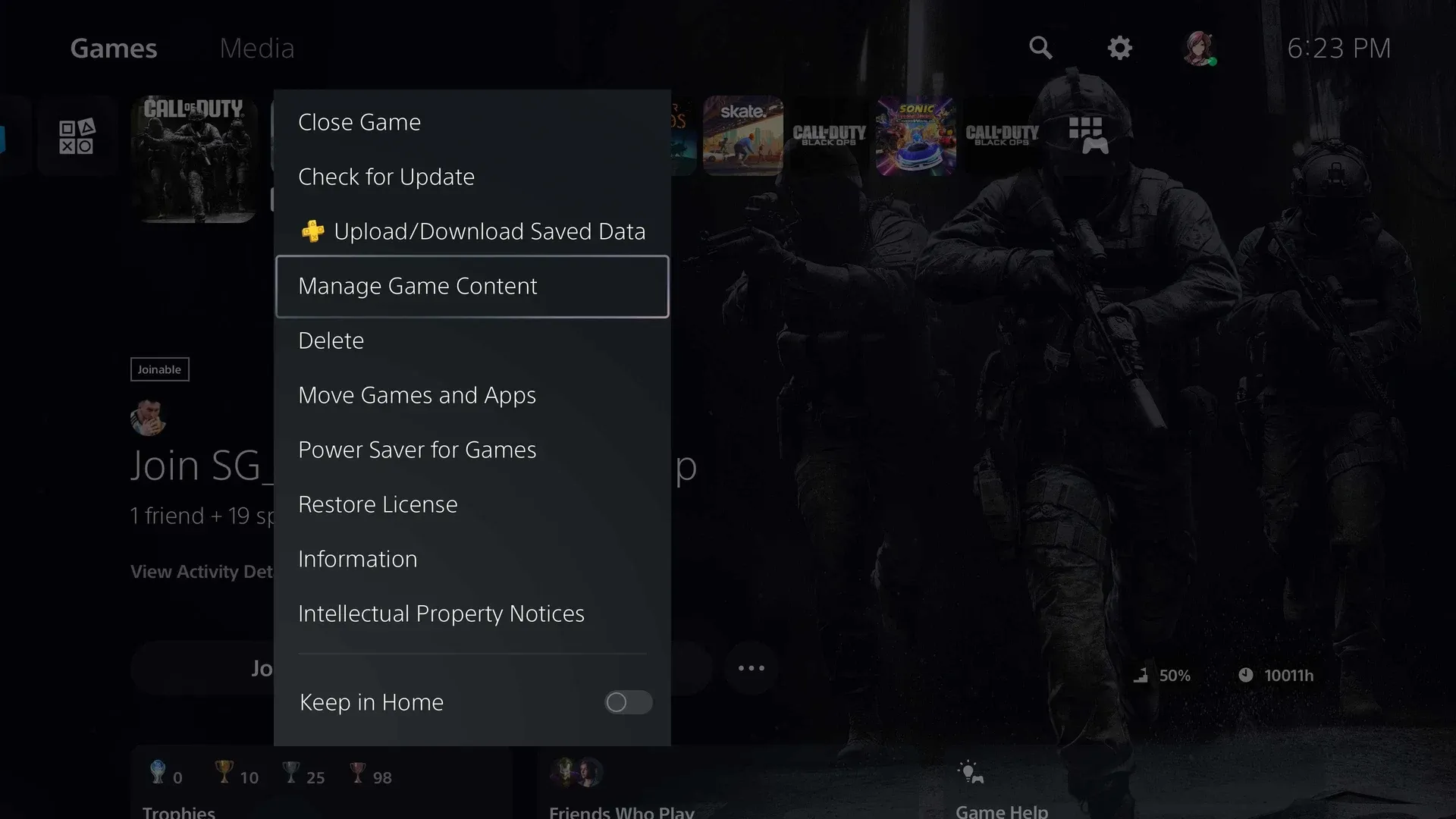
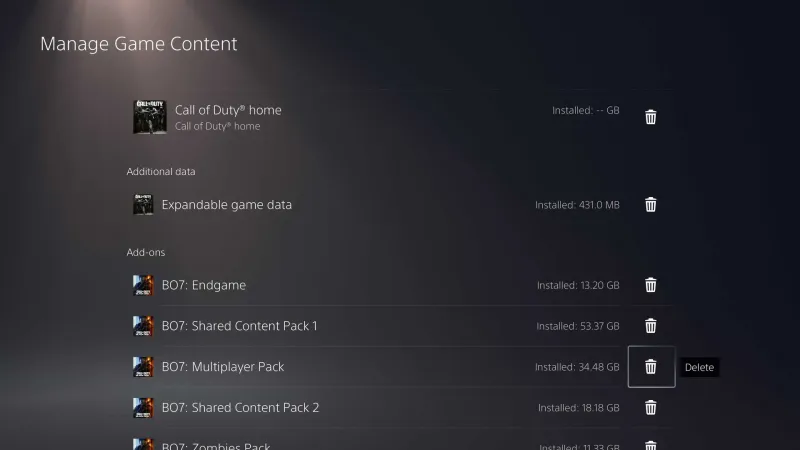 Click to enlarge Each mode is a separate add-on with its own delete button.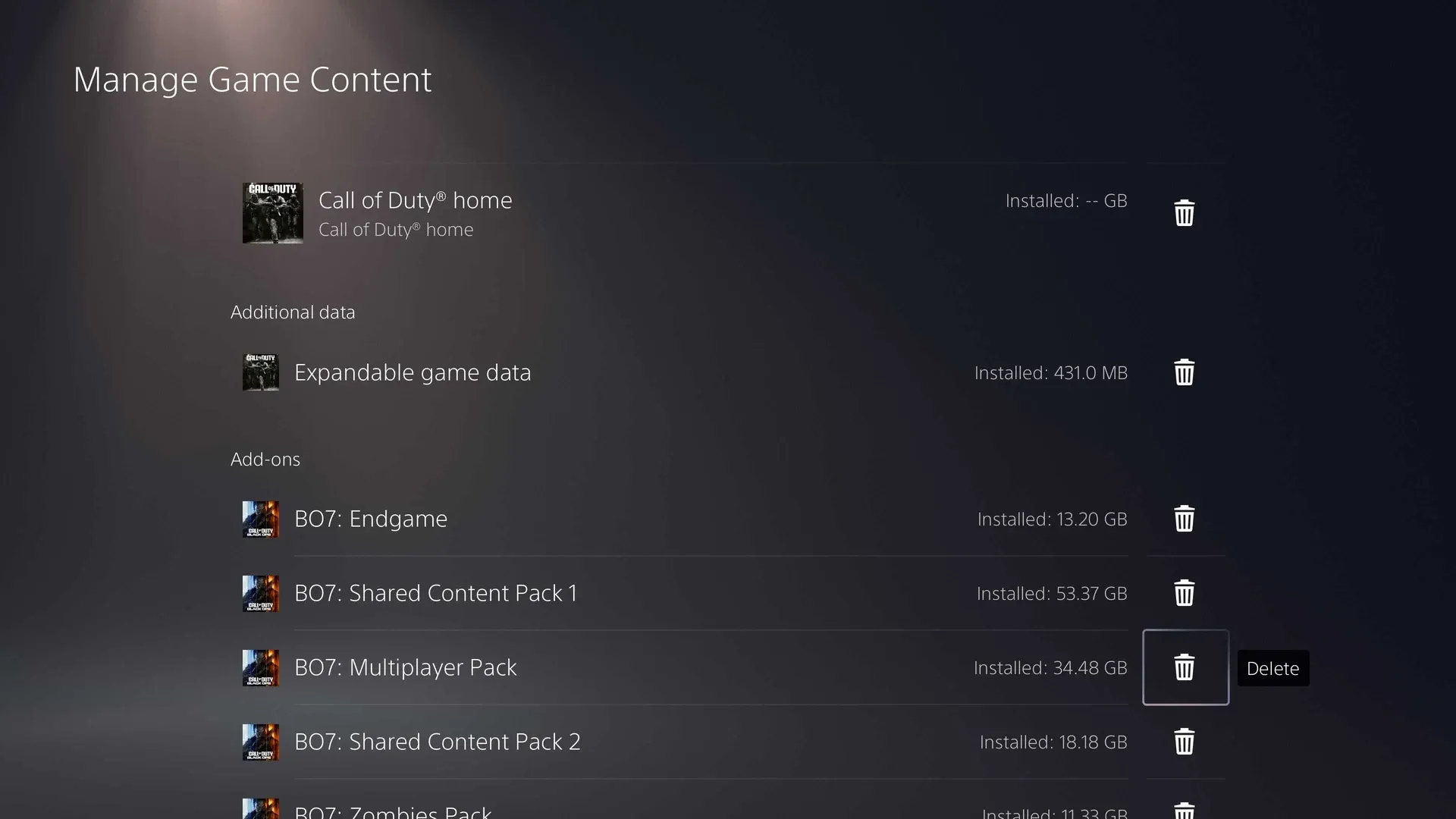
Leave the Shared Content Packs alone. Most packs on this screen say they are shared with Black Ops 6 and four other games, which is also why the PS5 storage screen can show Call of Duty as far bigger than it really is.
Xbox Series X|S: Manage Game and Add-Ons
- Go to My games and apps.
- Select Call of Duty, open the menu and choose Manage game and add-ons.
- Open the game items and untick the modes you don’t play.
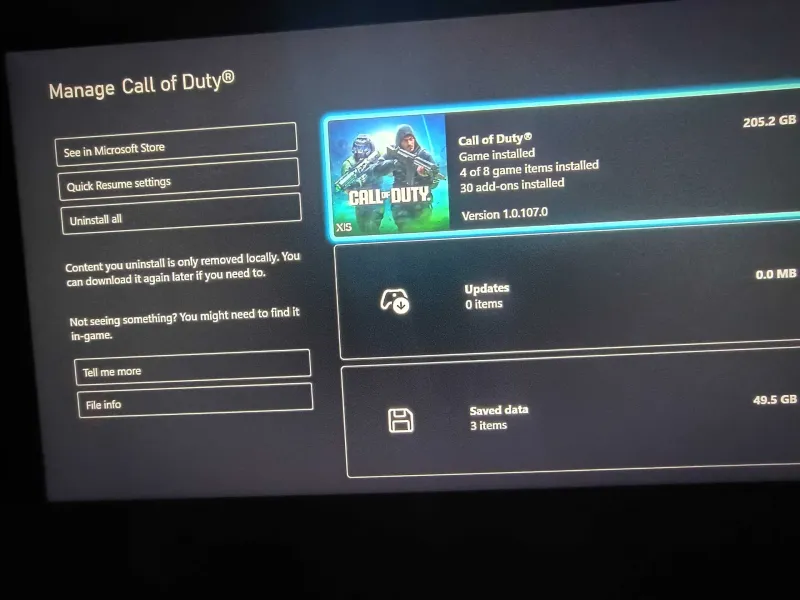 Click to enlarge 205.2 GB, 4 of 8 game items installed.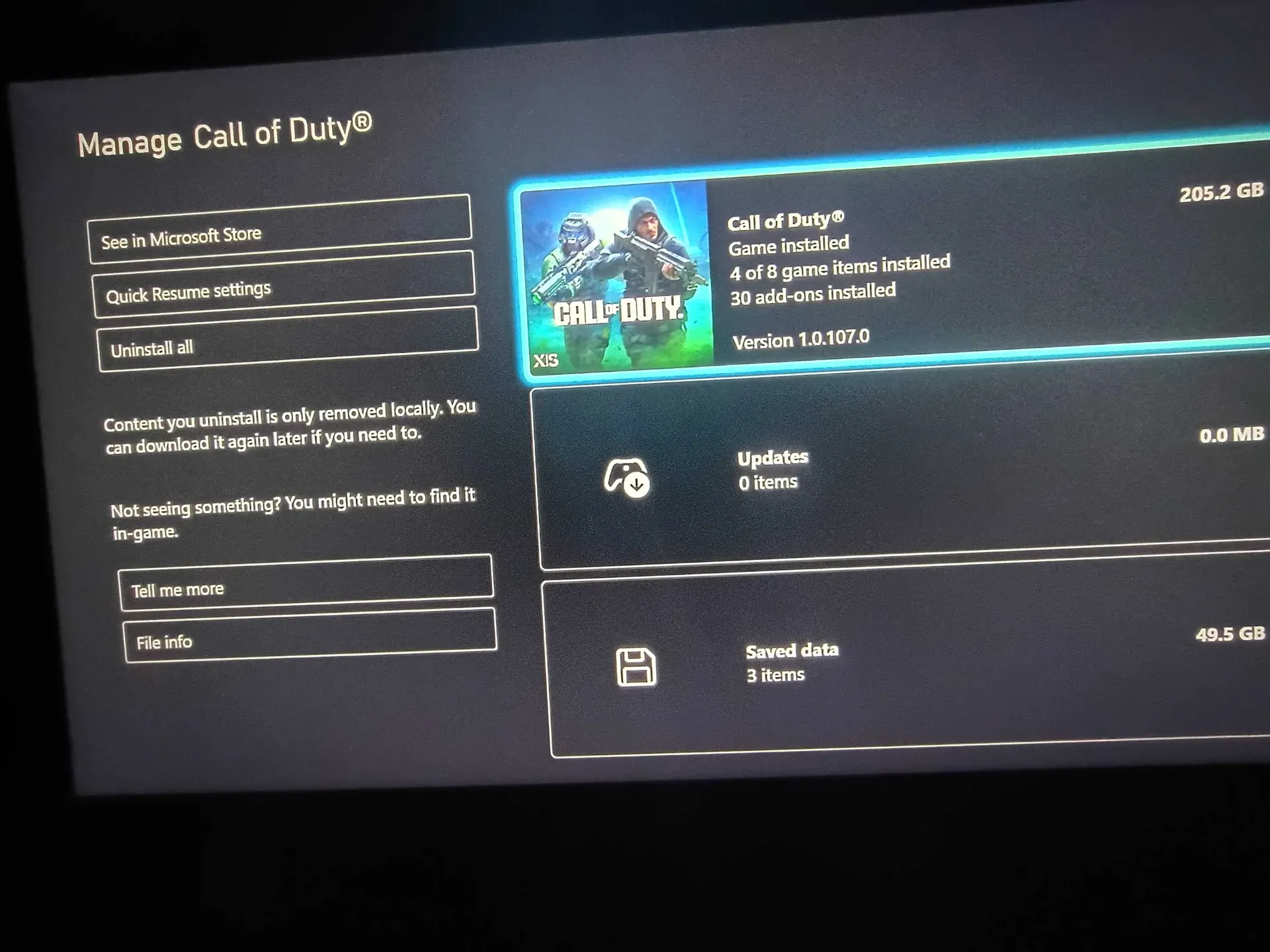
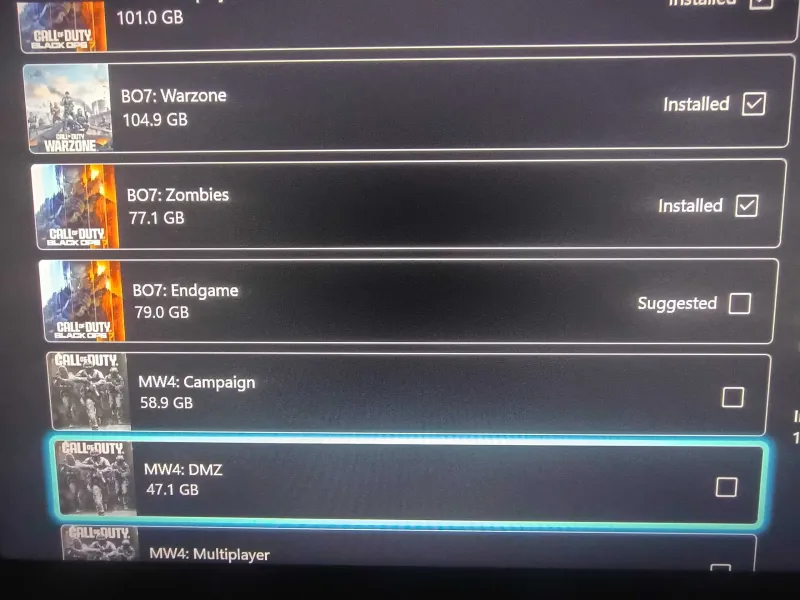 Click to enlarge Untick a game item to remove it.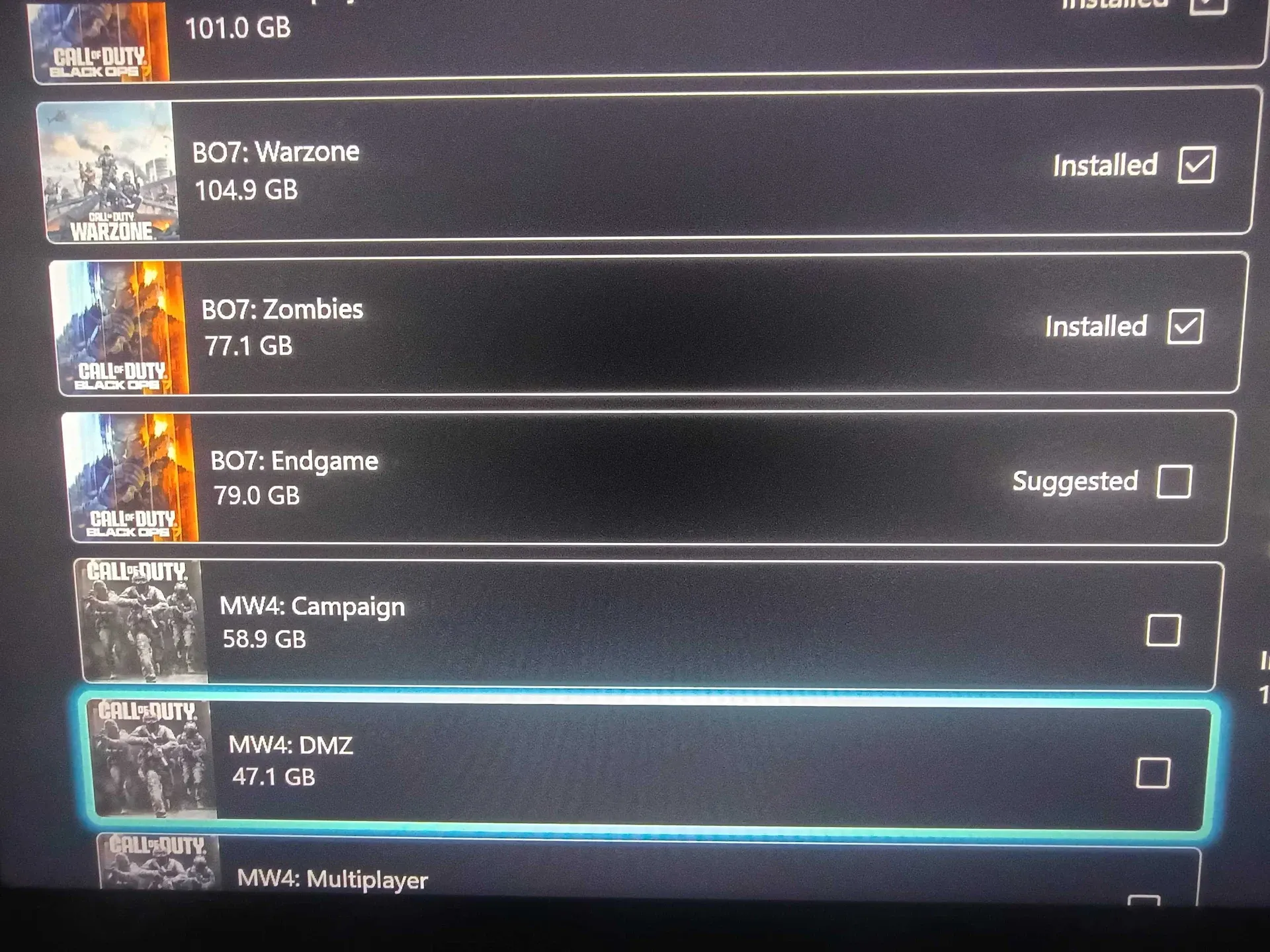
Read the Xbox sizes loosely. The list shows 104.9 GB for Warzone and 101.0 GB for BO7 Multiplayer, which together already pass the 205.2 GB total, so items clearly share data. You will get back less than the label says. Xbox also tells you that “content you uninstall is only removed locally”, so you can download it again whenever you want.
MW4 is not on PS4 or Xbox One. Activision says MW4 is the first entry of this generation on current-gen consoles only (Game Informer).
Call of Duty should ask which modes you want the first time you install it. The options work on every platform, but they are buried in settings most players never open, so check the file menu after every big season download.
Have questions? Join our COD Central Discord where 50,000+ members hang out, or see what our MW4 Discord offers for multiplayer, DMZ and Warzone.
Frequently Asked Questions
How do I uninstall Warzone but keep MW4?
Open the file icon in the top right of the Call of Duty main menu, select the Warzone tab and choose Uninstall. Campaign, Multiplayer and DMZ stay installed. On Battle.net you can also untick Warzone under Modify Install. Warzone took 43.72 GB in our install.
How do I uninstall the MW4 campaign?
Open the file icon in the main menu, select the Modern Warfare 4 tab, hover Campaign and choose Uninstall. That frees 43.22 GB in our install, and you can reinstall it later from the same menu.
Do I lose my progress if I uninstall a game mode in MW4?
No. Your levels, unlocks and camos are stored on Call of Duty's servers, not in your local files. Uninstalling a mode only removes the game data from your drive.
Can I reinstall a mode later?
Yes. Tick it again in the same menu and it starts downloading straight away. Expect to download the full size again, so how long it takes depends on your connection.
Can I remove the base game and keep only Warzone or DMZ?
No. The base game is required because it holds the shared game assets. Everything else, including Campaign, Multiplayer, DMZ and Warzone, is optional.
Why does my PS5 show a much bigger Call of Duty size than the game should be?
PlayStation marks most Call of Duty packs as shared with several other Call of Duty games, so the same files can show up under more than one title in the console's storage screen. The sizes inside the in-game Manage Files menu are easier to read.
Can I play MW4 on PS4 or Xbox One?
No. MW4 only launched on PS5, Xbox Series X|S, PC and Nintendo Switch 2. Activision also confirmed that Warzone stops being playable on PS4 and Xbox One later this year.
